7 Pros And Cons Of Square For Salons
The 30-second version
Square for salons is a solid all-in-one for POS, payments, online booking, and client notes, especially for solo stylists and small teams. It is fast to set up and supports both services and retail. The biggest gap is the phone: online scheduling does not answer calls during blowouts, color processing, or busy hours. Costs can also rise as you add locations and card processing fees. Before committing, match Square’s scheduling depth to your real rules, estimate missed-call revenue, and decide how you will cover the front desk. Options include hiring staff, an answering service, or an AI receptionist.
In this article
- 01What is Square for salons
- 02Key features and pricing
- Typical features salon owners use
- Pricing (what to pay attention to)
- 03Pros of using Square for salons
- 1) Fast setup and low “tech tax”
- 2) All-in-one workflow for services + retail
- 3) Familiar payments experience
- 4) Good fit for small teams and independent stylists
- 5) Easier to standardize front desk habits
- 04Cons and limitations
- 1) The phone problem: scheduling isn’t the same as answering
- 2) Costs can climb with plan level + processing
- 3) You may outgrow scheduling depth
- 4) Reporting can be helpful, but not always decision-grade
- 5) Front desk staffing is expensive (and hard to hire)
- 05Top alternatives for salon management
- 1) Salon-first platforms (best for advanced scheduling and client experience)
- 2) “All-in-one” small business suites (best for simplicity)
- 3) Payment-first systems + add-ons (best if POS is your anchor)
- 4) Dedicated phone handling (best for missed calls and conversion)
- 06Square for salons vs alternatives (quick comparison table)
- 07How to choose the right solution for your salon
- Step 1: Map your “money moments”
- Step 2: Decide what you want to standardize
- Step 3: Stress-test the booking journey (not just the calendar)
- Step 4: Put rough numbers to the trade-offs
- Step 5: Check the “scaling friction”
- Step 6: Choose how you’ll handle calls (this is where many salons win or lose)
- 08Square for salons vs Ahoya (AI receptionist)
- Comparison table
- 09Closing: win and keep customers where salons actually lose them
You can spend all day perfecting color formulas and client experience, then lose a first-time client because the phone rang during a blowout and nobody picked up. For salons, “busy” often looks exactly like “closed” to a caller.
What is Square for salons#
Square for salons is a point‑of‑sale and business management platform tailored for salon owners. It combines payment processing with tools like scheduling, client profiles, and team management so you can run front desk operations, checkout, and basic reporting in one ecosystem.
Square is popular with booth renters, single-location salons, and growing shops because it’s easy to start, relatively affordable, and flexible enough to cover retail plus services. The trade-off is that some salons outgrow it, or need deeper features in areas like advanced scheduling rules, memberships, and multi-location operations.
A salon doesn’t just compete on talent. It competes on response time, because callers decide whether you’re “available” long before they see your work.
Key features and pricing#
Square’s core value is “take payments + run the day-to-day.” For a salon, that usually translates into four buckets: scheduling, checkout, client management, and team tools.
Typical features salon owners use#
- Point of sale (POS) for services and retail
- Card processing for in-person payments
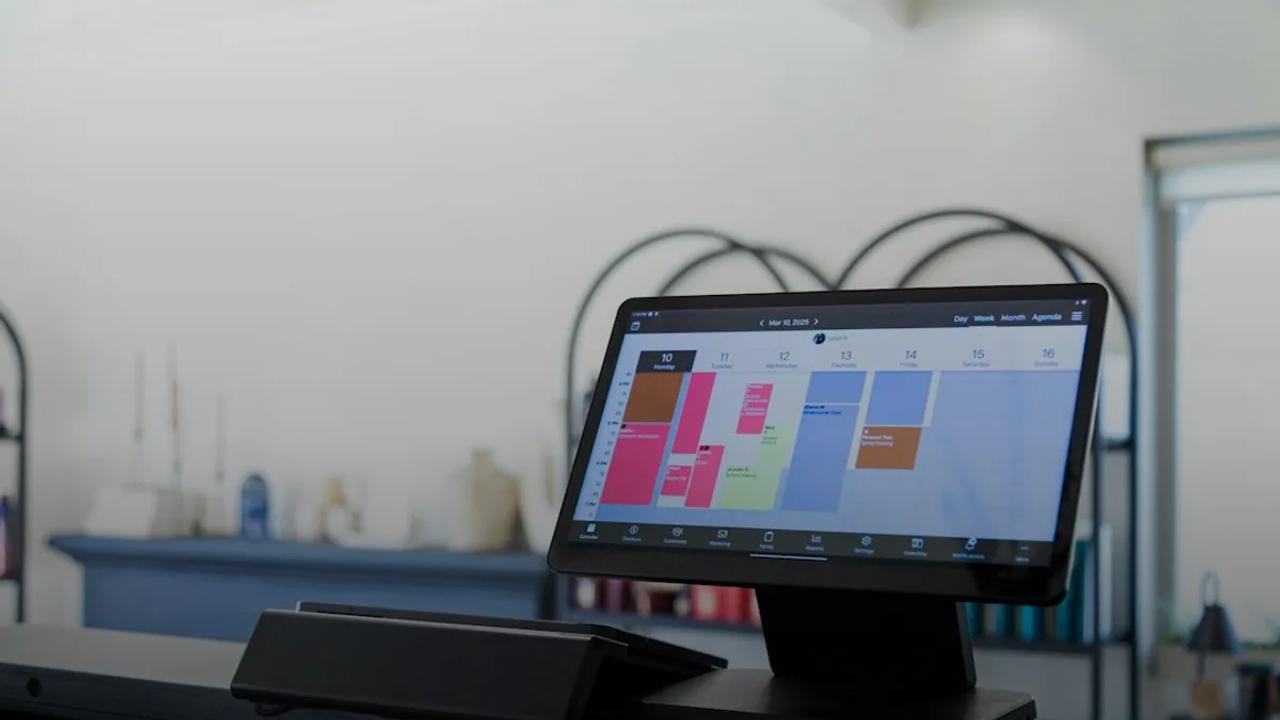
- Appointment booking (online and staff calendar management)
- Client profiles (contact details, visit history, notes)
- Inventory for retail products
- Employee management (permissions, time tracking depending on plan)
- Reporting (sales, services, staff performance)
Pricing (what to pay attention to)#
Square pricing can feel simple at first, then get more nuanced once you add locations, staff, and the plan level you need.
From Square’s own published pricing:
- Square Plus: $49/mo per location (Square, 2026)
- Square Premium: $149/mo per location (Square, 2026)
- In-person card processing (tap/dip/swipe): 2.6% + 15¢ on the free tier (Square, 2026)
What this means in practice for a salon:
- If you’re processing a lot of small tickets (bang trims, brow waxes, add-ons), the per-transaction 15¢ can add up.
- If you operate multiple suites/locations, pricing is per location, so costs scale with footprint.
- The subscription is only part of the spend. Your real monthly cost is subscription + processing + any add-ons you adopt over time.
Pros of using Square for salons#
Square is widely used in salons for a reason. Here are the advantages that tend to show up in day-to-day operations.
1) Fast setup and low “tech tax”#
Square is straightforward to deploy. Most owners can get a basic POS and booking flow running without a consultant, which matters when you’re already stretched thin.
2) All-in-one workflow for services + retail#
Many salon platforms skew heavily toward appointments and forget that retail is a profit center. Square tends to handle both “service ticket” and “product sale” cleanly at checkout.
3) Familiar payments experience#
Clients recognize Square’s payment experience and receipts, and staff training is usually quick.
4) Good fit for small teams and independent stylists#
For a solo stylist or small salon, Square often hits the sweet spot: scheduling, checkout, and basic reporting without an enterprise-style setup.
5) Easier to standardize front desk habits#
Even without a dedicated receptionist, Square can support a consistent process:
- everyone books appointments the same way
- services are rung up consistently
- client notes live in one place
That consistency helps reduce “tribal knowledge” and makes it easier to onboard new staff.
Cons and limitations#
Square can run a salon. The question is whether it runs your salon the way you want as you grow, add complexity, or compete on experience.
1) The phone problem: scheduling isn’t the same as answering#
Square can power online booking, but salons still get a lot of phone calls: pricing questions, “do you have anything today,” stylist requests, reschedules, and “what should I book for…?”
If calls go to voicemail during peak service times, you can lose bookings even with a great online calendar. The fix is usually one of these:
- a trained front desk
- a salon answering service
- or an AI virtual receptionist that handles routine requests and routes the rest
If you want to put rough numbers to it, do a simple “missed call” estimate: track how many calls you miss in a typical week, estimate how many would have turned into bookings, then multiply by your average ticket. Even conservative assumptions can make the cost of missed calls feel very real.
2) Costs can climb with plan level + processing#
Square’s subscription pricing is clear, but total cost depends on your volume and ticket size because processing fees scale with revenue.
Also note that Plus and Premium are priced per location:
- $49/mo per location for Plus (Square, 2026)
- $149/mo per location for Premium (Square, 2026)
If you expand to a second location, those subscription costs double.
3) You may outgrow scheduling depth#
Many salons eventually need scheduling controls like:
- strict service timing rules and buffers by service/stylist
- advanced deposit/cancellation policies
- memberships/series packages
- deeper resource management (rooms, stations, equipment)
Square’s scheduling can be “enough,” but if your operation depends on complex rules, you’ll want to validate it against real scenarios.
4) Reporting can be helpful, but not always decision-grade#
Basic reporting is useful. But some owners want deeper views, like:
- retention cohorts
- rebooking rates by stylist and service
- service profitability after product cost and time
You can often get there with exports and spreadsheets, but that adds overhead.
5) Front desk staffing is expensive (and hard to hire)#
If your solution to missed calls is “hire another receptionist,” budget for ongoing labor cost plus training time and turnover.
A lot of salons end up with a patchwork approach: online booking + voicemail + callbacks. The problem is that many callers won’t wait around for a call back.
Top alternatives for salon management#
The best alternative depends on what you’re optimizing for: scheduling power, marketing automation, multi-location control, or client experience.
1) Salon-first platforms (best for advanced scheduling and client experience)#
These tools typically go deeper on:
- service menus with add-ons and timing logic
Stop Missing Salon Calls After Hours
Start Free Trial- deposits and cancellation policies
- memberships, packages, series
- marketing automations (rebook reminders, win-back campaigns)
If your #1 pain is calendar complexity and front desk workflow, a salon-first platform is usually where you look.
2) “All-in-one” small business suites (best for simplicity)#
If you sell retail, have straightforward services, and want clean checkout plus basic scheduling, an all-in-one tool can be the right kind of boring.
3) Payment-first systems + add-ons (best if POS is your anchor)#
Some salons anchor on payments/POS and bolt on:
- a dedicated booking tool
- a separate marketing CRM
- a phone solution for call handling
This can work well, but it increases the number of moving parts.
4) Dedicated phone handling (best for missed calls and conversion)#
If your biggest leak is unanswered calls, consider a purpose-built phone layer:
- a salon answering service (humans answering on your behalf)
- or an AI virtual receptionist (software that answers and completes common tasks)
This is not “salon management” in the traditional sense, but it can directly impact bookings and new-client conversion.
Square for salons vs alternatives (quick comparison table)#
Use this as a starting point for shortlisting. “Best for” is the key column.
| Option | Best for | Strengths | Watch-outs |
|---|---|---|---|
| Square for salons | Simple, affordable POS + scheduling in one place | Easy setup, familiar payments, solid for services + retail | Can outgrow scheduling depth; still need a plan for phone calls |
| Salon-first platform | High-volume salons with complex calendars | Advanced scheduling rules, deposits, memberships, marketing workflows | Can cost more; may take longer to implement and train |
| All-in-one small business suite | Straightforward services and lean operations | Simplicity, fewer tools to manage | Might lack salon-specific workflows and deep reporting |
| Payments-first + add-ons | Owners who want best-in-class pieces | Customizable stack, can match exact needs | More vendors, more setup, more “who owns what” when issues happen |
| Phone layer (answering service or AI receptionist) | Salons losing bookings to missed/abandoned calls | Captures demand when you’re busy, reduces voicemail, improves response time | Doesn’t replace POS; should plug into your booking process and policies |
How to choose the right solution for your salon#
Choosing software is choosing your operating model. Here’s a practical way to decide.
Step 1: Map your “money moments”#
List the moments where you gain or lose revenue:
- new client calling for availability
- consultation questions (pricing, timing, service fit)
- reschedules and cancellations
- checkout and rebooking
- retail add-ons
Be honest about where things drop today. If you’re missing calls, your best scheduling features may not matter as much as you think.
Step 2: Decide what you want to standardize#
Most salons need consistency in:
- how services are named and priced
- how long services take (and buffers)
- how deposits/cancellation policies are communicated
- how you handle stylist requests and waitlists
If the tool can’t enforce your standards, staff will create workarounds. That’s where mistakes creep in.
Step 3: Stress-test the booking journey (not just the calendar)#
Run three test scenarios end-to-end:
- A new client wants a popular time this week
- A regular wants to reschedule last minute
- A caller asks a pricing question and wants help choosing the right service
Then ask:
- How many steps did it take?
- Where did a human have to jump in?
- What happens when you’re mid-service and can’t answer?
This is where adding a phone layer can pay off, because the caller experience often determines whether you win the booking at all.
Step 4: Put rough numbers to the trade-offs#
You don’t need a fancy model. Use a simple weekly estimate:
- How many calls come in?
- How many go to voicemail?
- How many convert when you call back?
Even a back-of-napkin “missed call” estimate can help you compare:
- upgrading software
- hiring/front desk coverage
- adding an answering solution
Step 5: Check the “scaling friction”#
Ask what happens when you:
- add 2 more stylists
- open 1 more location
- expand into med spa services or longer appointments
- introduce memberships or prepaid packages
Some tools are perfect at 3 staff and painful at 12. Others are the opposite.
Step 6: Choose how you’ll handle calls (this is where many salons win or lose)#
Decide your salon’s approach:
- Option A: Staffed front desk with coverage rules and scripts
- Option B: A salon answering service for overflow and after-hours
- Option C: An AI virtual receptionist that answers 24/7 and handles routine booking/rescheduling
The goal is simple: when someone reaches out, they should get help now, not later.
Square for salons vs Ahoya (AI receptionist)#
Square is a POS and scheduling platform. Ahoya is not trying to replace that. Ahoya is an AI voice receptionist designed to answer calls 24/7 and help you capture bookings when your team is busy with clients.
Ahoya facts (Salon & Spa template): it can handle common salon calls like booking a service (books straight onto the calendar), rescheduling (texts the team details and books straight onto the calendar), service questions, pricing questions (confirms only if pricing is in your profile), and stylist requests (texts the team the details). Setup is from a website URL in minutes on a real phone number. Pricing is a free trial, then $49 / $179 / $399 per month.
Comparison table#
| Category | Square for salons | Ahoya |
|---|---|---|
| Primary job | POS + business management | AI voice receptionist for calls |
| Best at | Checkout, payments, basic scheduling workflows | Answering every call 24/7, capturing bookings and requests |
| Appointment booking | Supports booking via its platform | Handles appointment booking on real calls (books straight onto the calendar) |
| Rescheduling | Managed in the scheduling system | Handles reschedules on calls; texts the team details; books onto calendar |
| Service/pricing questions | Info may exist in your menu and settings | Answers service and pricing questions; confirms exact pricing only if in your profile |
| Stylist requests | Can be tracked via booking preferences | Captures stylist request and texts the team |
| When you’re busy | Callers may hold or hit voicemail | Answers instantly, even during appointments and after hours |
| Pricing model | Subscription per location + processing fees | Free trial, then $49 / $179 / $399 per month |
If Square is your system of record for appointments and checkout, adding an AI receptionist can be a practical way to catch calls without immediately adding payroll. If you’re in comparison mode, try Ahoya’s free trial and run it alongside your current setup for a week.
Closing: win and keep customers where salons actually lose them#
Square for salons can be a solid foundation for scheduling and checkout. But salons don’t grow only by having good software. They grow by being reachable, helpful, and fast when a potential client is ready to book.
If your phones regularly go unanswered during peak times, that’s not a “nice to fix.” It’s a customer experience gap. Whether you solve it with tighter front desk coverage, a salon answering service, or an AI virtual receptionist like Ahoya, the goal is the same: fewer missed opportunities and a smoother booking experience.
Frequently asked questions
What is Square for salons used for?
Square for salons is typically used to run daily front desk operations in one system: taking payments at checkout, managing appointments, keeping client profiles and notes, tracking retail inventory, and reviewing basic sales reports. For many salons, it’s a practical way to standardize how services and products are rung up, and how appointments are scheduled across staff.
How much does Square for salons cost per month?
Square’s published subscription pricing includes Square Plus at $49 per month per location and Square Premium at $149 per month per location (Square, 2026). Your total monthly cost can be higher once you include card processing and any add-ons you adopt over time. If you add a second location, the subscription portion scales with it.
Does Square for salons answer phone calls or handle bookings by phone?
Square can support online booking and calendar management, but it does not solve the “phone coverage” problem by itself. If calls go to voicemail during peak service times, you can still lose same-day and first-time bookings. Many salons address this with a staffed front desk, a salon answering service, or an AI voice receptionist that can capture details and book appointments.
What is the best booking system for hair salons?
The best booking system depends on how complex your schedule really is. If you need straightforward online booking plus POS and retail checkout, Square for salons can be a good fit. If you rely on strict timing rules, buffers, deposits, memberships, or multi-location controls, you may want a system built for deeper scheduling logic. The best choice is the one that matches your actual service menu and policies.
Is there a free booking system for salons?
Many platforms offer a free tier or low-cost entry option, usually with limits on features, staff, locations, or branding. A “free” plan can work for a solo stylist testing online booking, but it may not cover what a busy salon needs, like better scheduling controls or stronger client management. Also consider costs beyond software, like payment processing and missed-call bookings.
What is better than Vagaro?
“Better” than Vagaro depends on what you’re optimizing for: simpler POS and payments, deeper scheduling rules, multi-location management, or the ability to handle high call volume. Some salons prefer Square for salons when they want a familiar payment flow and clean checkout for services plus retail. Others prioritize platforms with stronger membership, deposit, and resource management features.
Written by
Ahoya Team
Ahoya editorial
Never miss another customer call
Ahoya answers every call, books appointments, and texts your team — set up from your website in minutes.
Get new playbooks by email