

Help center
How Ahoya works: the whole system
4 min · updated Jul 24, 2026
In short
Ahoya is an AI voice receptionist for your business. It answers the phone, understands what each caller wants, books appointments, reminds customers, and tells your team — and you can have it answer every call or only the ones you miss.
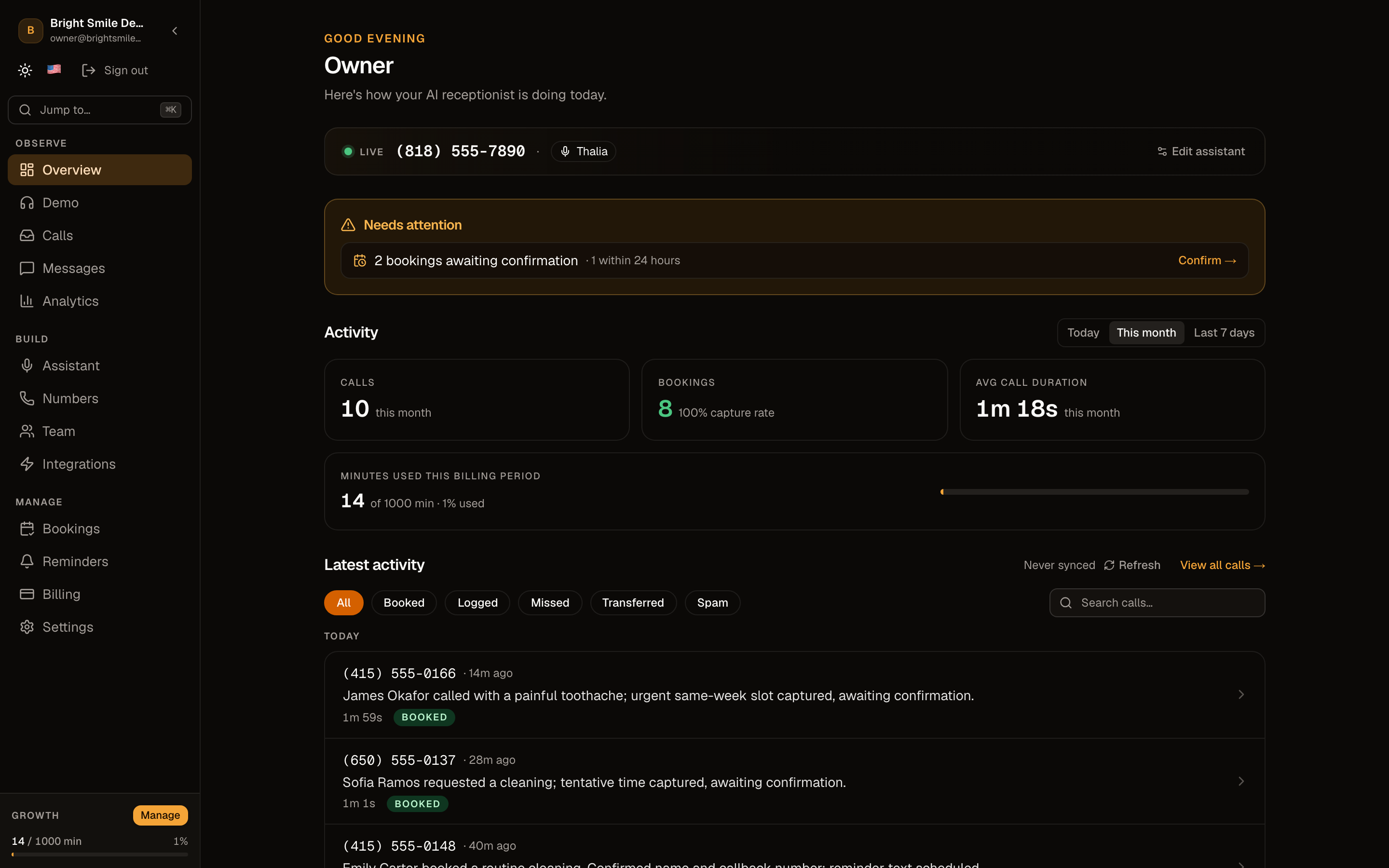
01A real receptionist on a real phone number
You paste your website, Ahoya reads it to learn your services and hours, and in about five minutes you have an AI receptionist on a real phone number that answers in a natural voice — 24/7, no hold music, no voicemail.
02You choose how it answers your calls
Point your line at Ahoya and pick a mode: AI Backup answers only the calls you miss (busy, closed, unanswered), Full AI answers everything, and Ring Me First rings your cell first and falls back to the AI. This is the core choice — full AI, or AI as backup.
See the “Answering modes” guide for how to pick, and the tier notes.
03Every call is understood, not just recorded
Each call is transcribed, recorded, summarised, and tagged with the caller's intent — a booking, a pricing question, an emergency. You see exactly what happened at a glance instead of replaying voicemails.
04Bookings, reminders, and your team
When a caller books, it lands in your Bookings inbox to confirm or edit; confirming schedules an SMS reminder an hour before. Your team gets a text summary of relevant calls, routed by intent, and the AI can warm-transfer urgent callers to a person.
05It connects to the tools you already use
Confirmed bookings can write to your calendar (Cal.com), and a native connector or a signed webhook pushes every call and booking into your CRM or spreadsheet. Billing, usage, and your plan live in the dashboard.
Frequently asked questions
Does the AI replace my staff?
Only as much as you want. In AI Backup mode your team answers as usual and the AI just catches what you'd otherwise miss; in Full AI mode it handles every call. You choose per your setup and can change it anytime.
Where do I start?
Sign up, then follow onboarding to go live in about five minutes. After that, the “Answering modes” and “Customize your receptionist” guides cover the two things most owners tune first.
See also
Related guides
Ready to try it? Get a working AI receptionist in about five minutes.
Start free