

Help center
Review calls: transcripts, summaries, and intents
3 min · updated Jul 24, 2026
In short
Every call is transcribed and recorded, summarised, and tagged with what the caller wanted — so you can see exactly what happened without listening to a voicemail.
01Open your calls
Go to Calls in the dashboard for the full list, newest first. Each row shows who called, when, how long, and the outcome at a glance.
02Open a single call
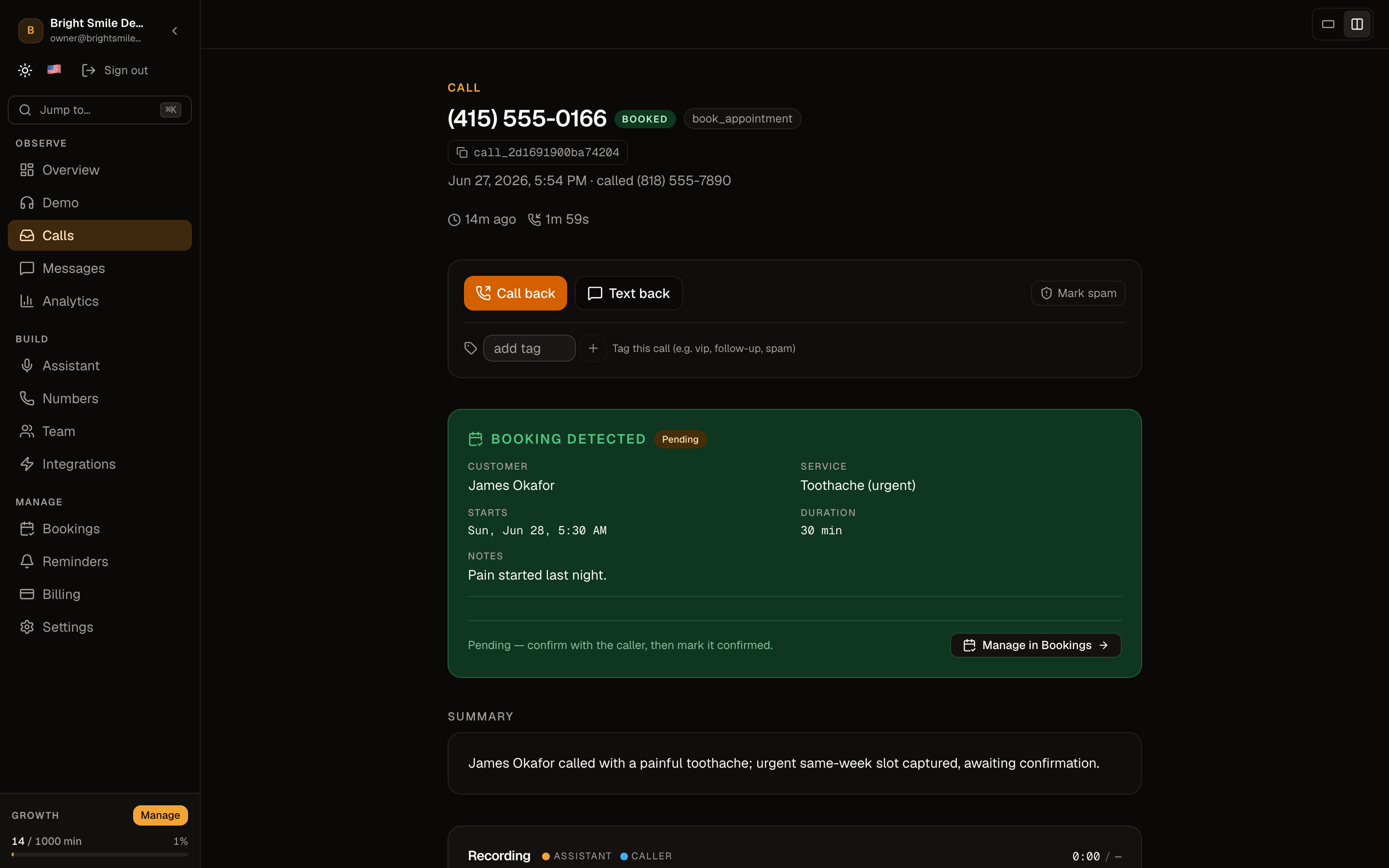
Click a call to see the full transcript, listen to the recording, and read the AI summary — the short version of what the caller needed and what was captured.
03See detected intents
Ahoya tags each call with the intents it detected — book an appointment, ask about hours, request a callback — so you can tell a new booking from a routine question instantly.
04Act on the call
From a call you can call or text the caller back, and flag spam so it stops cluttering your list. Bookings captured on the call flow into your Bookings inbox.
Frequently asked questions
Are calls really recorded and transcribed?
Yes — every call has a recording and a full transcript, and we play a consent disclosure at the start of calls in two-party-consent states.
What counts as an intent?
Intents are the actions a caller wants — booking, rescheduling, a pricing question, an emergency. They come from your industry template and you can refine them in the assistant editor.
See also
Related guides
Ready to try it? Get a working AI receptionist in about five minutes.
Start free